 Dotkiln

Dotkiln, a pixel art editor for game sprites
Draw a sprite once. Ship it in every colour.
Shade along your palette's colour ramps, save recoloured variants of a sprite, and export sprite sheets your engine reads.
Get notified at launch See how it works
For Windows. Coming to Steam and itch.io. Pay once.
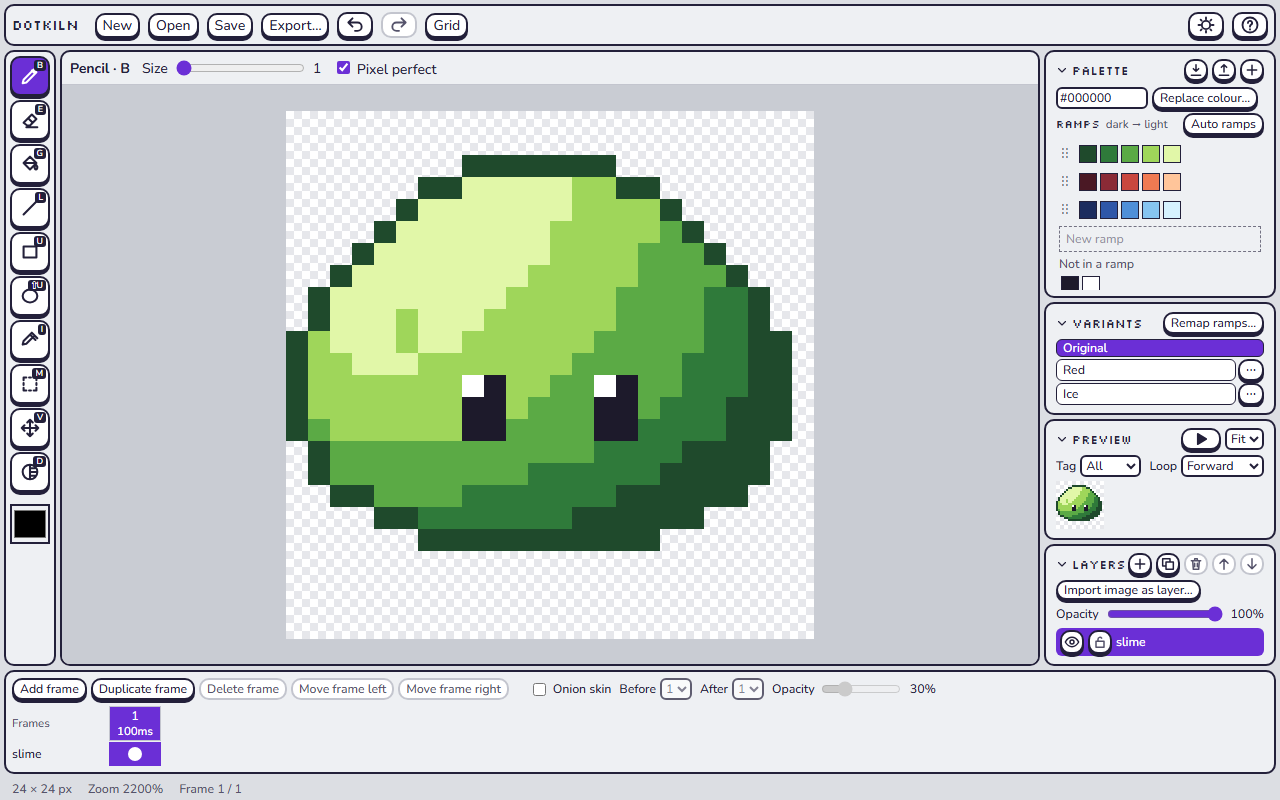

Smart shading
Group your colours into ramps, dark to light. The Smart shade tool moves each pixel one step lighter or darker along the ramp its colour belongs to.
Skin stays on the skin ramp and steel stays on the steel ramp, so you can shade a whole character with one tool.

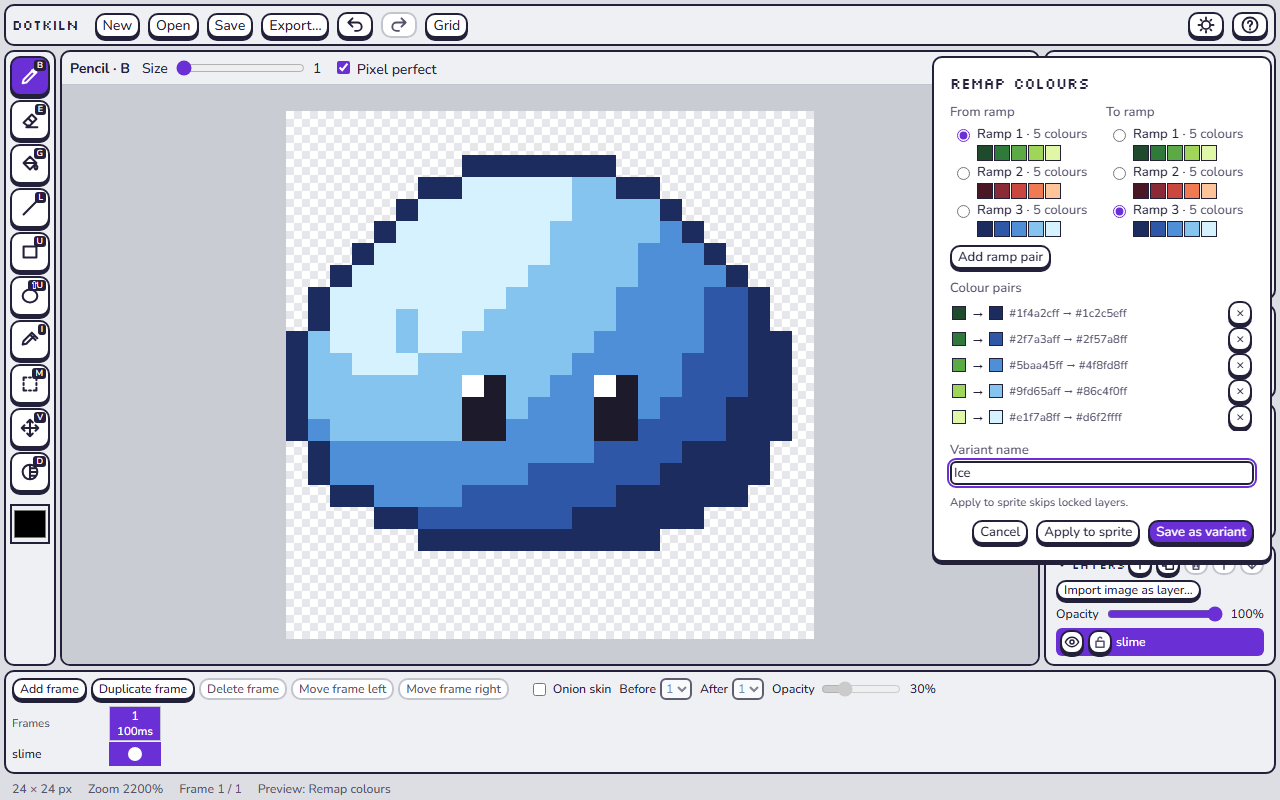
Variants
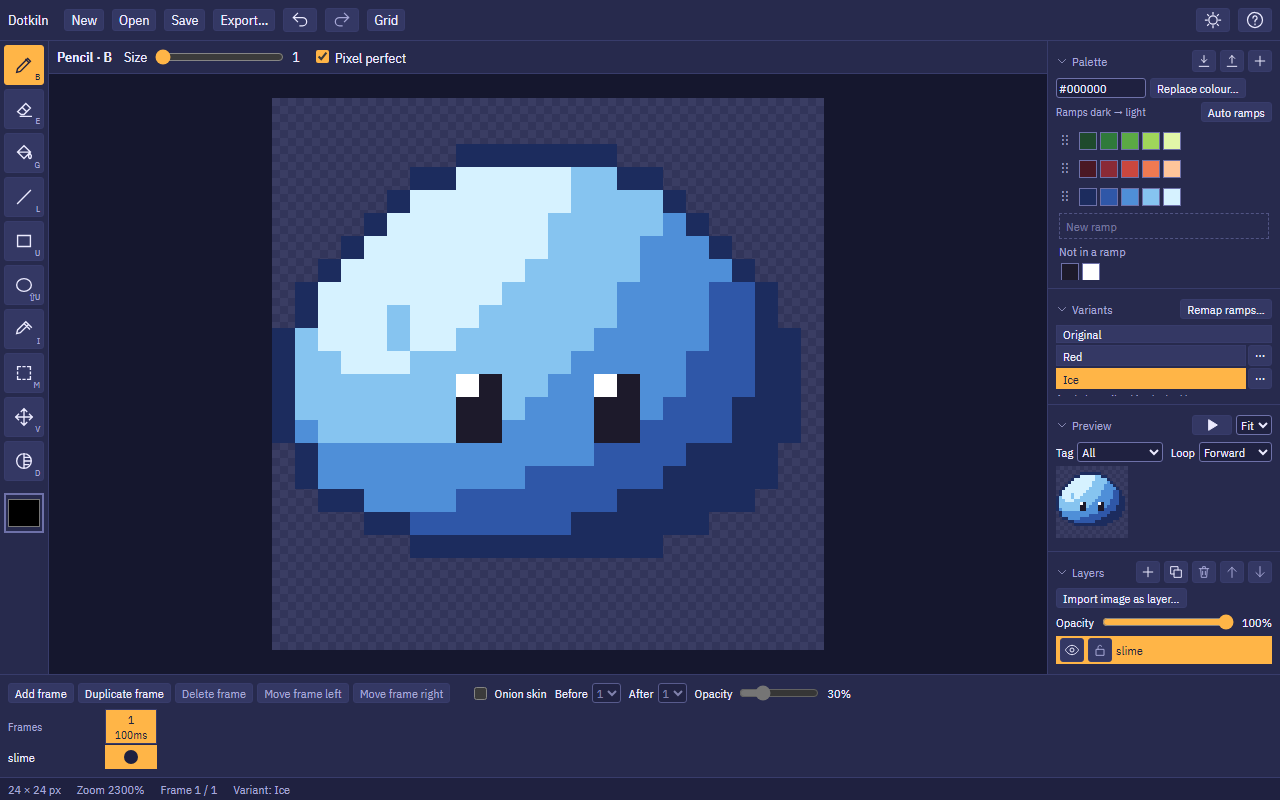
Moss, Ember, Frost: one sprite, three variants. Map one ramp onto another, see the result on the canvas as you pick, and save it as a variant.
Keep drawing on the original and every variant follows. Export one variant or all of them at once.
Exports your engine reads
Tested in Godot 4.5, Unity 6.3 and Phaser 3.90.
- PNG, indexed PNG-8, animated GIF, or every frame as its own PNG.
- Sprite sheets in a grid, or packed with transparent edges trimmed.
- JSON in the format Aseprite uses, so existing importers work.
Also in Dotkiln
- Animation. Frames with their own durations, tags with forward, reverse and ping-pong loops, onion skin, and a preview that plays while you draw. Export a whole animation or a single tag.
- Autosave and crash recovery. Dotkiln saves a copy as you draw. If the app or your computer crashes, the next launch offers to restore what you had.
- The usual tools. Pencil, eraser, bucket, line, rectangle, ellipse, eyedropper, selection and move, each with a shortcut. Layers with opacity, hide and lock. PNG import, and an image with 256 colours or fewer brings its palette.
- Light and dark themes.
Windows first
Dotkiln 1.0 runs on Windows 10 and 11. iPad and Android versions come later, as separate apps.
The desktop app makes no network calls. It has no accounts, no telemetry and no update checks. Read the privacy policy.
Get notified at launch
Dotkiln is not on sale yet. Email [email protected] with the subject "Dotkiln updates" and we will send you one email when it reaches Steam and itch.io.